
Backup & Restore
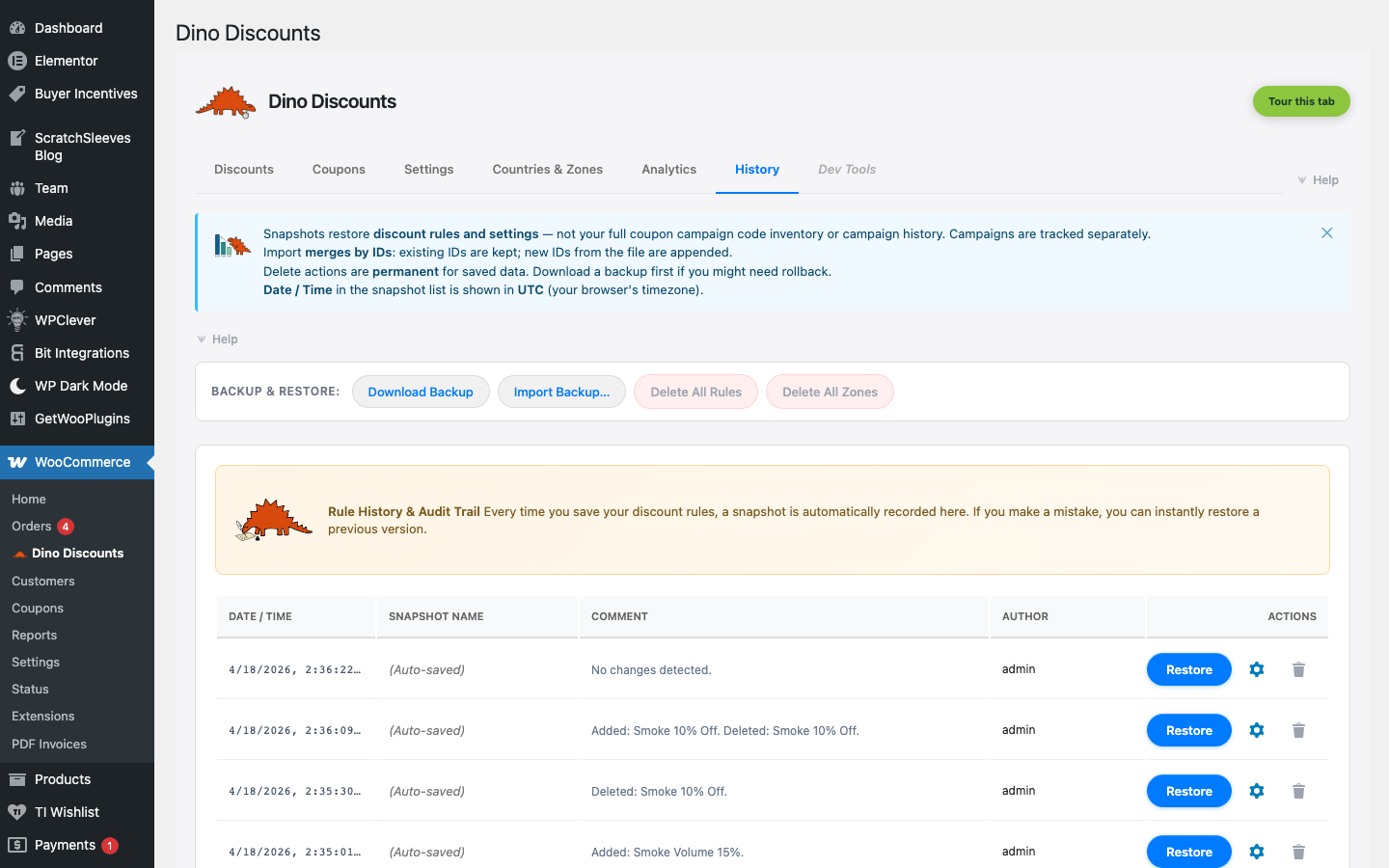
The History tab provides a complete version history of your discount configuration. Every time you publish, a snapshot is saved automatically.
Snapshots
Section titled “Snapshots”A snapshot is a complete copy of your discounts and settings at a point in time. Each snapshot records:
- Date and time (shown in your browser's timezone)
- Snapshot name (optional — set when publishing)
- Comment (optional — describe what changed)
- Full discount data — every discount, with all its settings
Restoring a snapshot
Section titled “Restoring a snapshot”- Go to the History tab
- Find the snapshot you want to restore
- Click Restore
- The discounts from that snapshot become your new draft
- Publish to make them live
Export & Import
Section titled “Export & Import”Export
Section titled “Export”Download your current discounts as a JSON file. This is useful for:
- Backing up before major changes
- Migrating discounts between stores (staging → production)
- Sharing discount configurations with other stores or team members
Import
Section titled “Import”Upload a previously exported JSON file. Import merges by ID:
- Discounts with IDs that already exist in your store are kept as-is (not overwritten)
- Discounts with new IDs from the file are appended
This means importing is safe — it won't overwrite your existing discounts.
Bulk operations
Section titled “Bulk operations”The History tab also provides bulk tools:
- Delete selected snapshots — Clean up old history
- Delete all snapshots — Reset the history (discounts are not affected)
These are permanent operations. Download an export first if you might need the data later.